Models and Providers
Choose between official models, your own API, local models, or external executors.
Available options
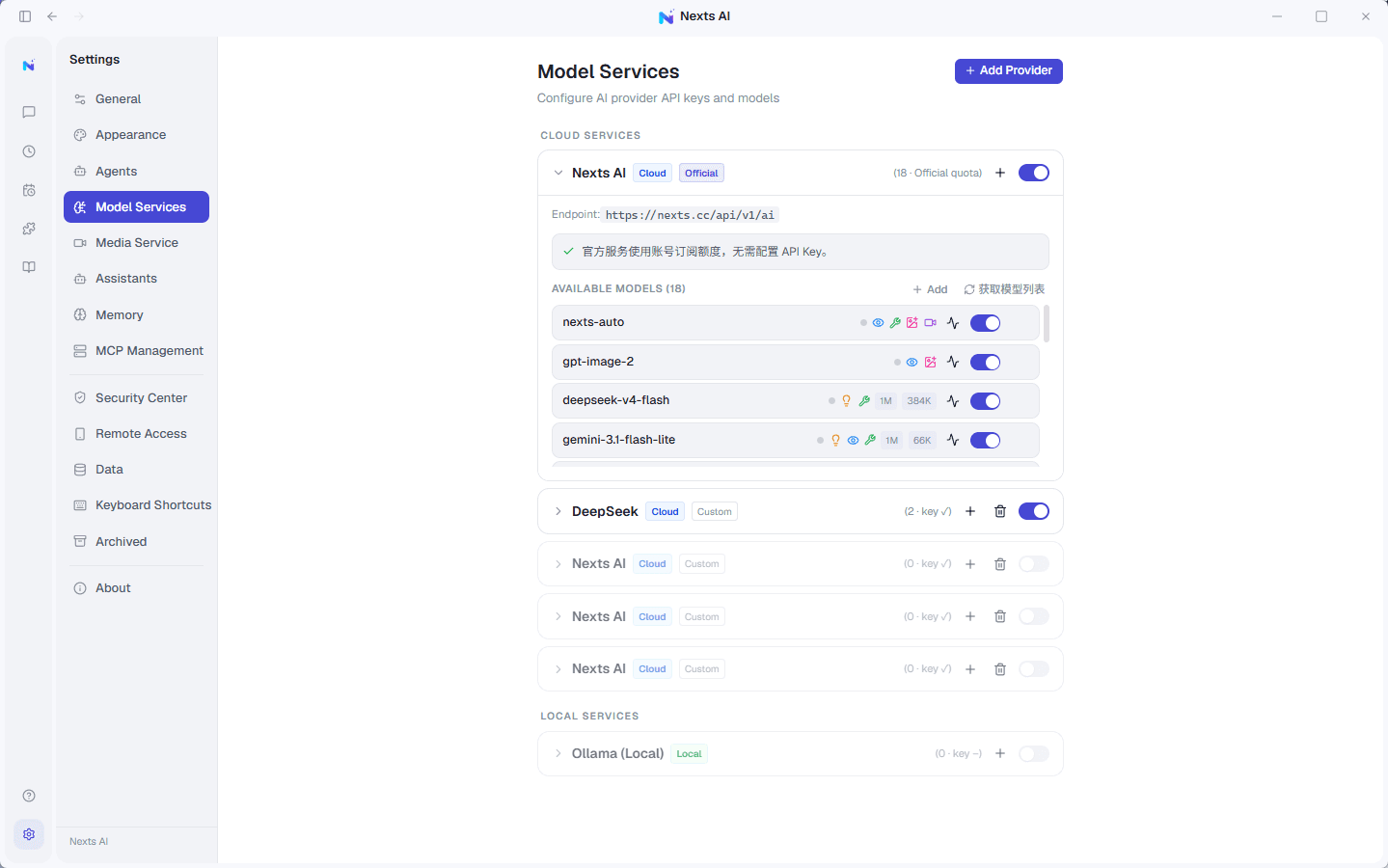
- Nexts AI: Sign in to use the official model entry point and your account quota.
- Your own API key: Connect a compatible cloud model provider; keys are kept in local secure storage.
- Local models: Connect services running on your machine, such as Ollama.
- External CLI: Use an agent executor supported by Nexts for tool-based tasks.
Switching models
Open the model picker on the welcome page or next to the chat input to switch. If a model is unavailable, go to Settings → Model Services and check the service URL, API key, model list, and whether the model is enabled.
A note on privacy
Local storage does not mean model calls never touch the network. When you choose a cloud model, the selected content needed to complete the request is sent to that provider. With local models, traffic normally stays on your machine.