Bots — Create a Lasting Assistant
Give a Bot a clear role, its own memory, and a working folder for ongoing work.
Open: chat sidebar → Bots, at the top left.
Use regular chat for one-off tasks. Use a Bot for a continuing role, such as an editor, project assistant, or researcher. A Bot can have several conversations while keeping its role and saved context.
Create your first Bot
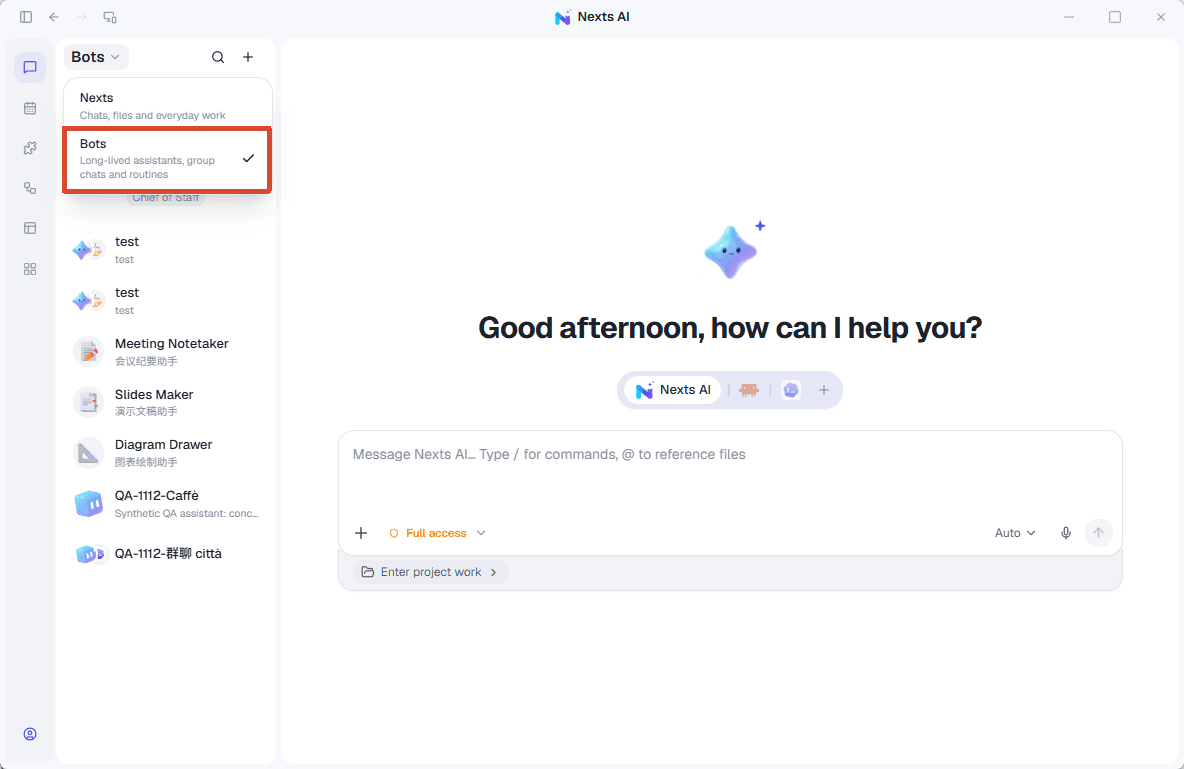
- Switch to Bots and choose Add Bot. Create one, start from a template, or add an existing assistant.
- Choose a name and avatar, such as “Product editor.”
- Describe its responsibilities, output format, and when it should ask you.
- Select its tools, connected apps, and skills. Choose the executor, model, and permission mode.
- Create the Bot, select it in the sidebar, and send a task.
Try these instructions:
Turn product changes into practical user instructions.
Confirm what changed, then write a title, steps, and relevant limitations.
Ask about uncertain features. Let me review the final text before publishing.
Result: the Bot appears in the sidebar. Continue its current conversation or start another with the same Bot.
Edit its identity and memory
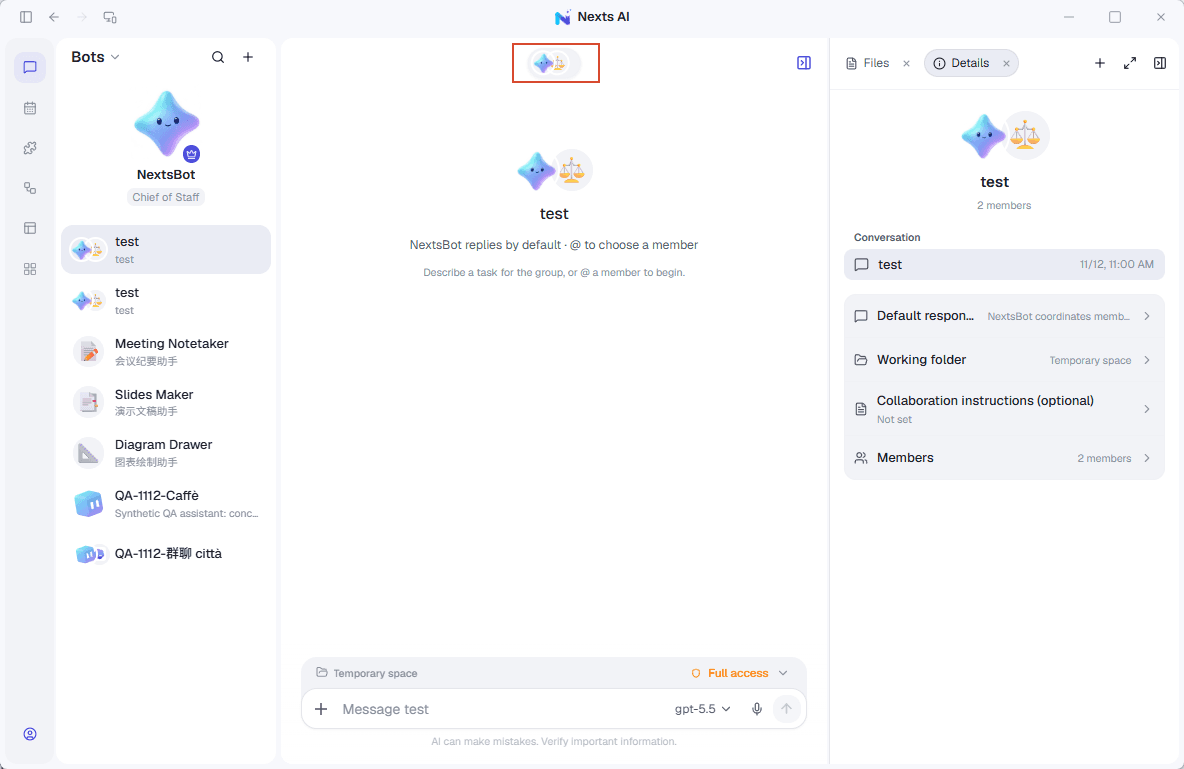
Open Bot details to edit its identity, working instructions, profile of you, and saved notes. Its library also provides access to skills and its working folder.
Each Bot loads its own independent memory; it is not automatically shared with other Bots. Access to shared user or project memory is configured separately. Edit or forget outdated notes. Turning independent memory off stops loading and recording it; this does not delete its files.
Identity and instructions also have local files. If Nexts reports external edits, load and review those edits before saving.
Coordinate several Bots
The chief of staff delegates to enabled Bots and brings their results together. This role requires the NextsAI executor; Claude and Codex can participate as members.
- Give each member a clear role and test it individually.
- Select Make chief of staff for a suitable Bot.
- Give it the overall task, expected output, and approval requirements.
- Review the tasks and execution records to check the members' results.
Delegation does not grant additional file or third-party account permissions. Regular Nexts chats and Bot chats can expose different collaboration controls.
Add a routine
Use the Bot's Routines area to set a task and schedule. Test it manually before repeating it. See scheduled tasks for execution requirements.
If something goes wrong
- Preferences are missing: check that you selected the same Bot and enabled its memory.
- A tool or account is missing: check the Bot's capabilities and connected apps.
- It cannot become chief of staff: select the NextsAI executor.
- An output file is missing: open the Bot's working folder or ask for the exact saved location.